At-home electronics repair, on demand.
Book a repair online, a certified technician arrives at your door. I joined as Founding Product Designer and led a 4-person team to replace a WhatsApp-based system with three purpose-built interfaces: customer, technician, and operations. Shipped from scratch in six months.
Three reasons WhatsApp was not working.
We were brought in to design an interface. The CEO already knew WhatsApp was not scaling. What we needed to understand was exactly where it was breaking and why.

Technicians managed 20+ customer conversations in the same app as personal messages. A client update could get buried in seconds. No separation, no way to prioritise.

Finding a specific customer meant scrolling through partially-remembered names. Operations kept a contact list by hand that never stayed current.

Tracking a single job required reading across three separate threads: customers, technicians, and vendors. One missed message could delay an entire repair.
Simplify workflows. Build something no one needs a manual for.
Design purpose-built interfaces for customers, technicians, and operations that simplify day-to-day workflows and feel intuitive enough to use from day one, with no training required.
Replace fragmented WhatsApp chaos with structured, role-specific workflows. Each user type sees only what they need, when they need it.
A customer on mobile tracking a repair, a technician in the field updating a job, an operations lead assigning tickets from a desk. All different contexts. All obvious to use.
10+ conversations. Three completely different stories.
We spoke with 10+ users across all three types, at least 3 per group. Rather than asking what people wanted, we asked them to complete real tasks on the existing WhatsApp-based system. That is where the real story started.
 Technician
"WhatsApp is easy. I don't think there's really a problem with how it works for us."
- 4 minutes to find a specific chat and get job context
- Mixed client and personal messages twice in one session
- Audible frustration searching for unsaved contacts
People adapt to broken systems without realising it.
Everyone said WhatsApp was fine. Until we sat with them. Watching an operations team member spend 4 minutes scrolling to find a single customer update changed everything. What interviews miss, observation reveals.
- Handing over expensive electronics via WhatsApp felt informal and unverified
- Needed visible credentials and real-time tracking to feel safe
- Trust was the primary barrier to conversion, not price or speed
- Context-switching between personal and work chats created measurable delays
- Normalised friction; they didn't realise the time loss until we measured it
- Needed a dedicated work space, not another WhatsApp conversation
- Coordinating 3 separate threads with no overview was operationally brittle
- Urgent and routine tickets were indistinguishable in WhatsApp
- One missed message could delay an entire repair job
We mapped the service before we touched a screen.
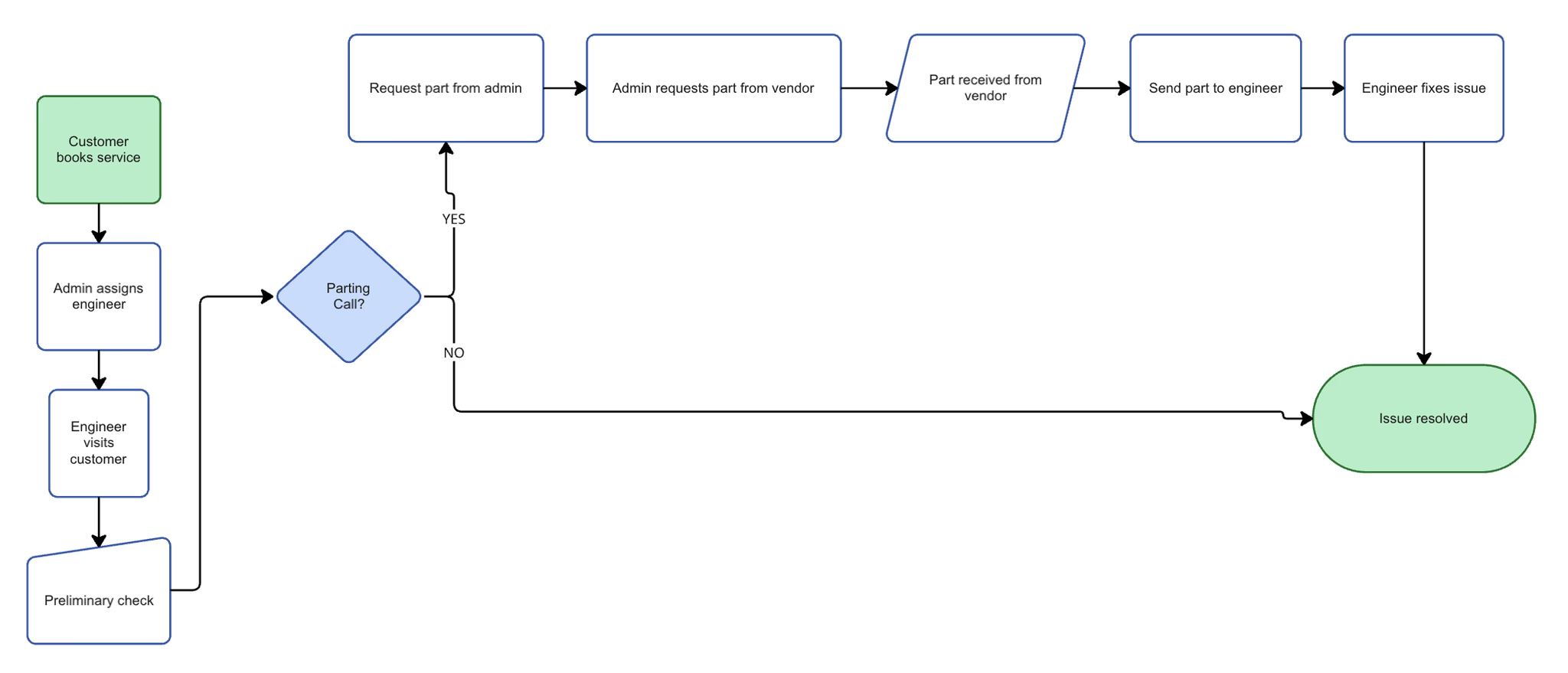
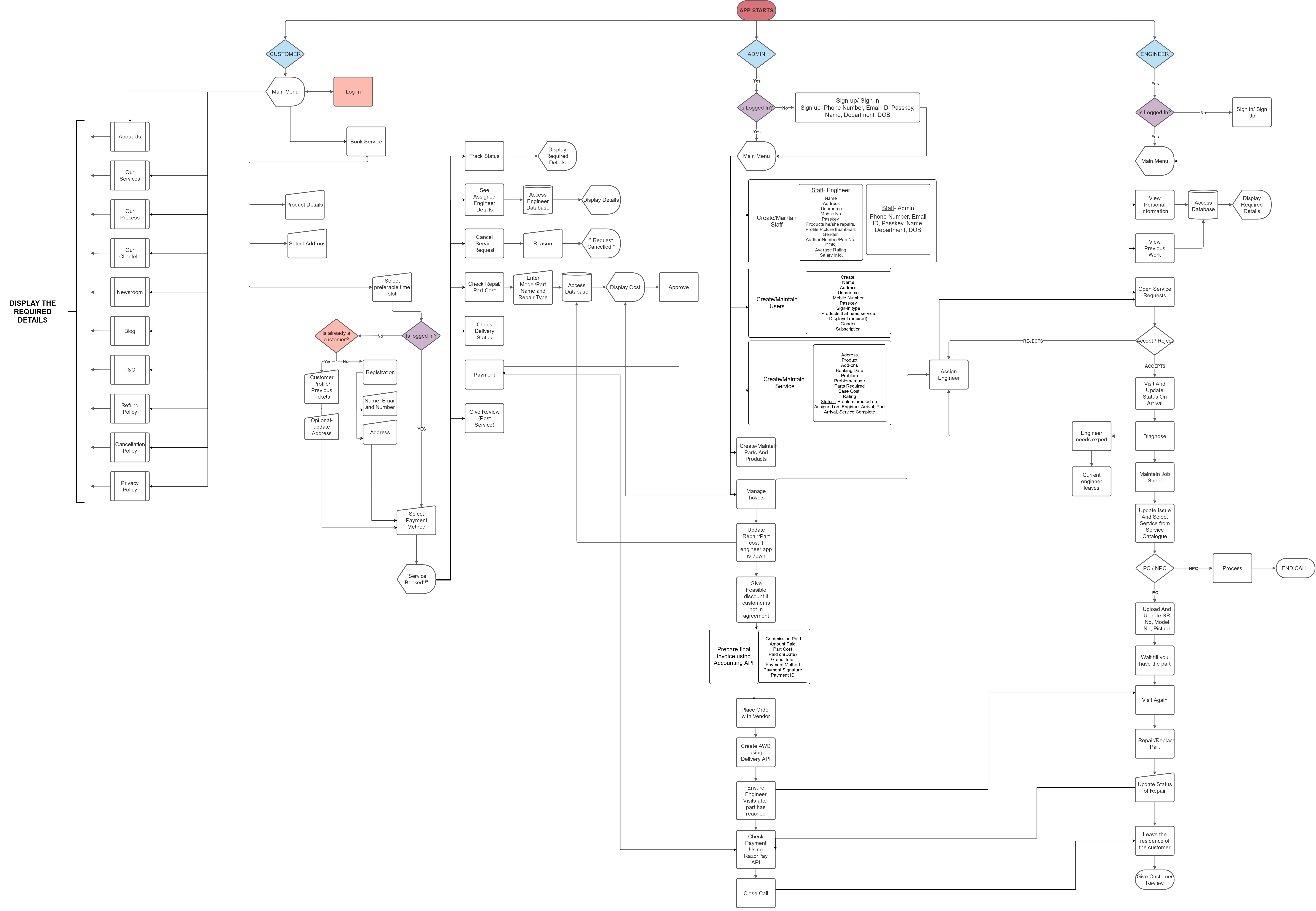
Before any wireframes, we collaborated with the software engineers, the CEO, and a handful of end users to map out the complete service flow: where each user type touched the system, what triggered each action, and where the handoffs between customers, technicians, and operations happened.
We ran low-fidelity testing sessions to validate the app flow structure before committing to high-fidelity screens. The goal was to catch structural gaps early, not after rounds of designed screens needed to be rebuilt.
Drag to pan · Scroll to zoom
Three interfaces. One connected service.
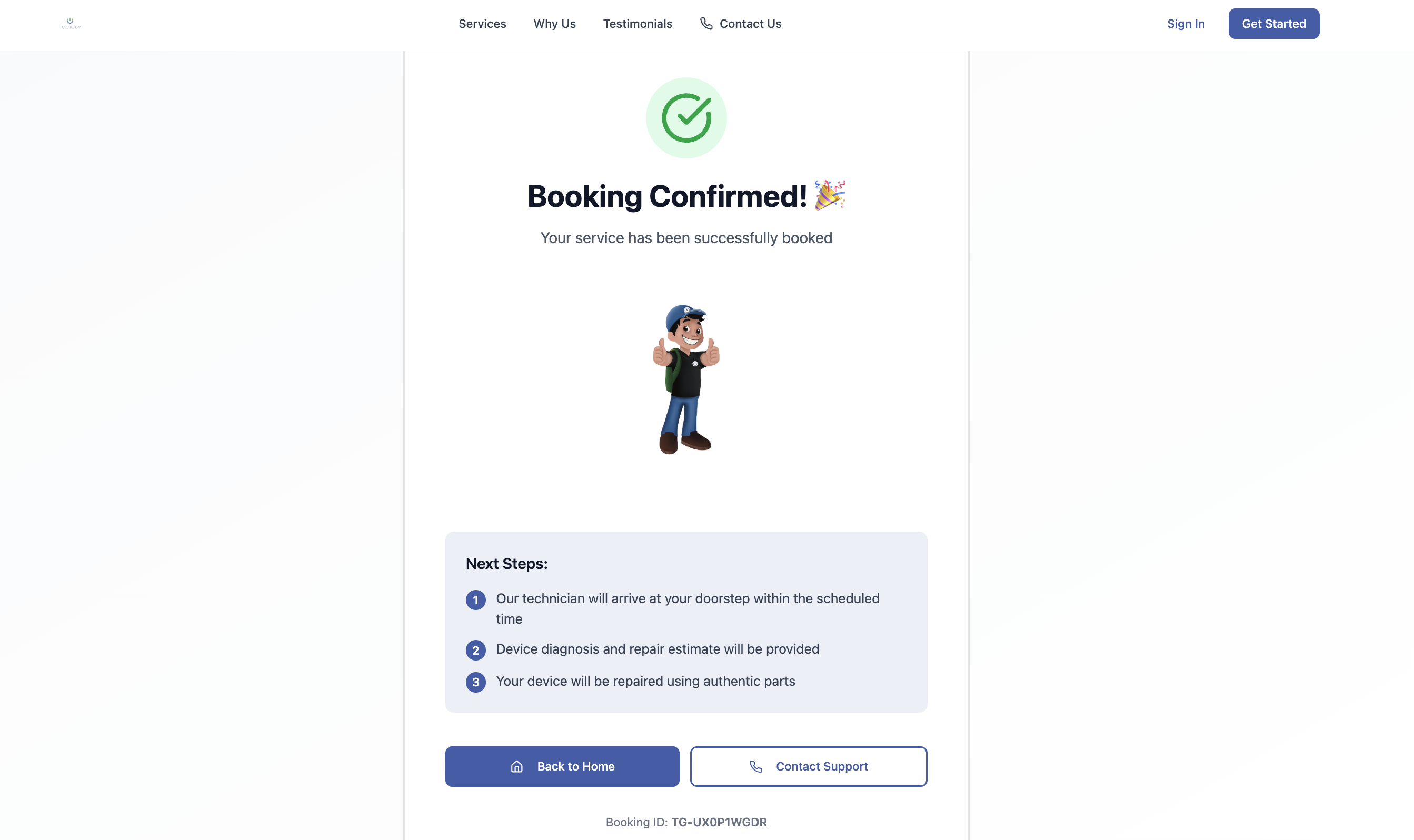
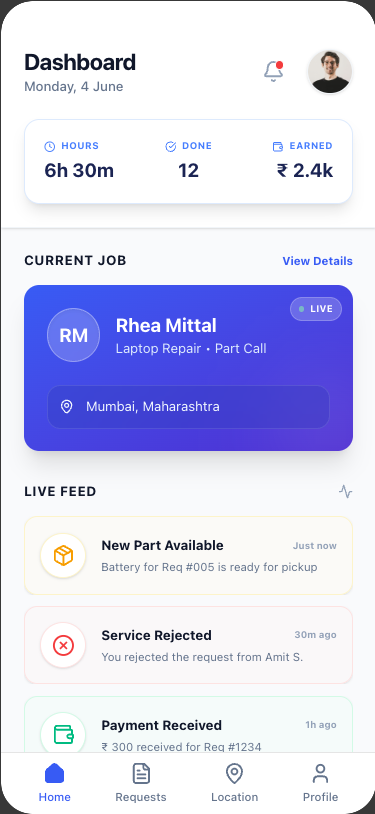
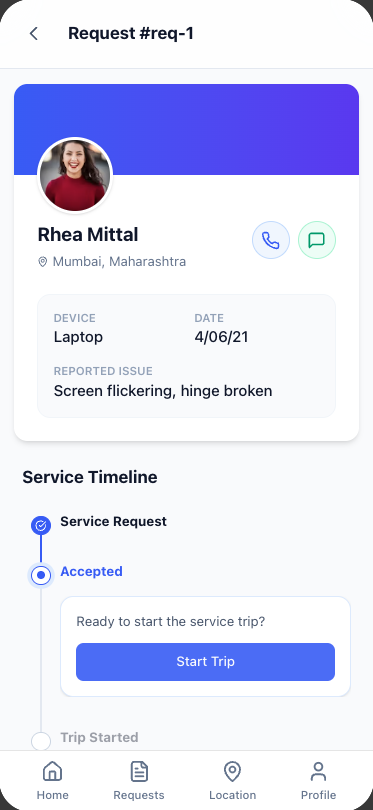
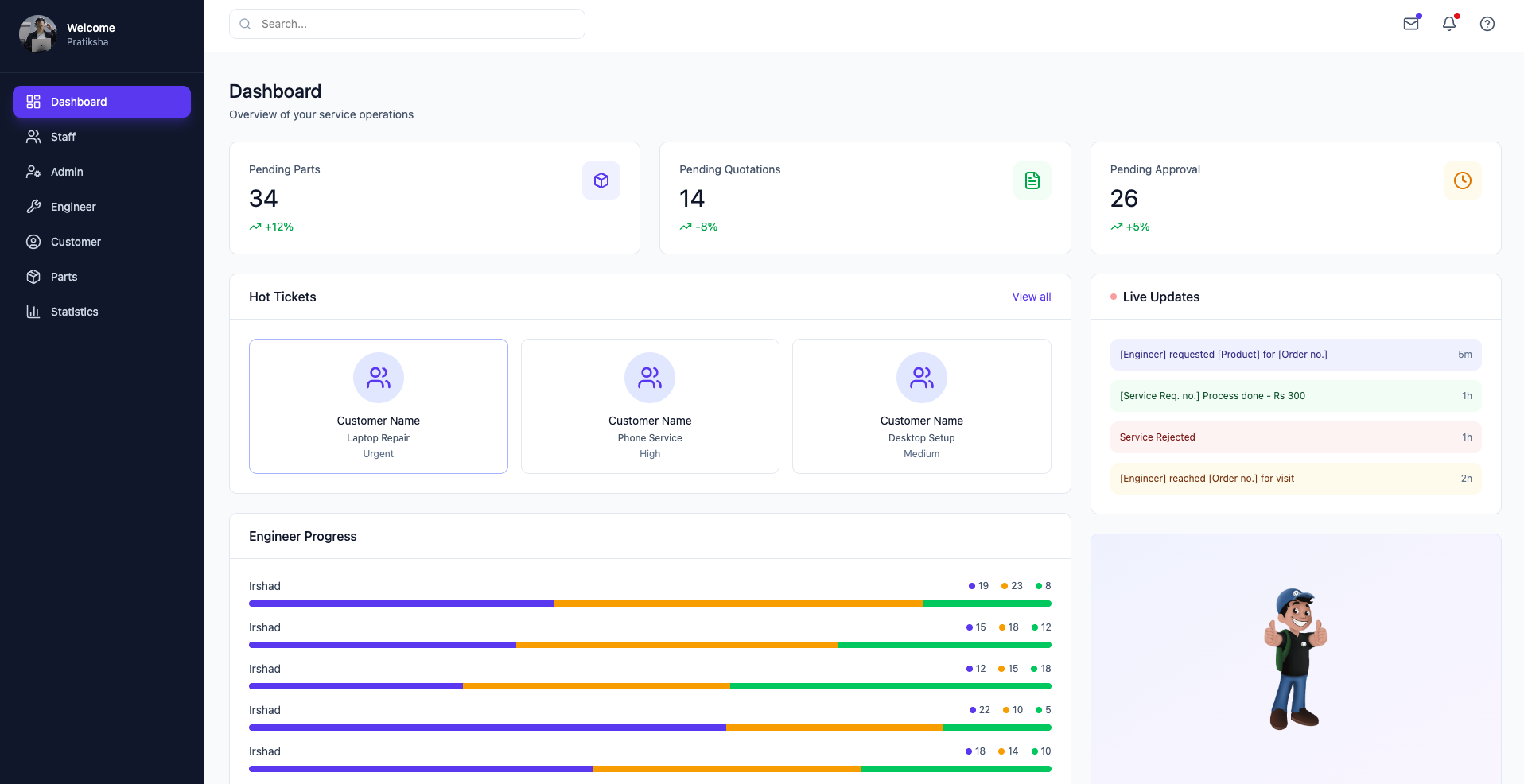
Each product was designed for a specific user context. Not three separate tools, one service ecosystem where an action in one interface automatically flows to the next.
Customer · Mobile App
 Technician · Mobile App
 Operations · Dashboard
Shipped. Live. CEO-endorsed.
What I'd build differently today.
This was 2021, and I have learned a lot since then. Looking back with four years of experience, two things stand out clearly.
I noticed a friction. I built the fix.
→Small businesses deserved a landing page that spoke their language.
→